DMARC reports, readable, in the Laneful dashboard
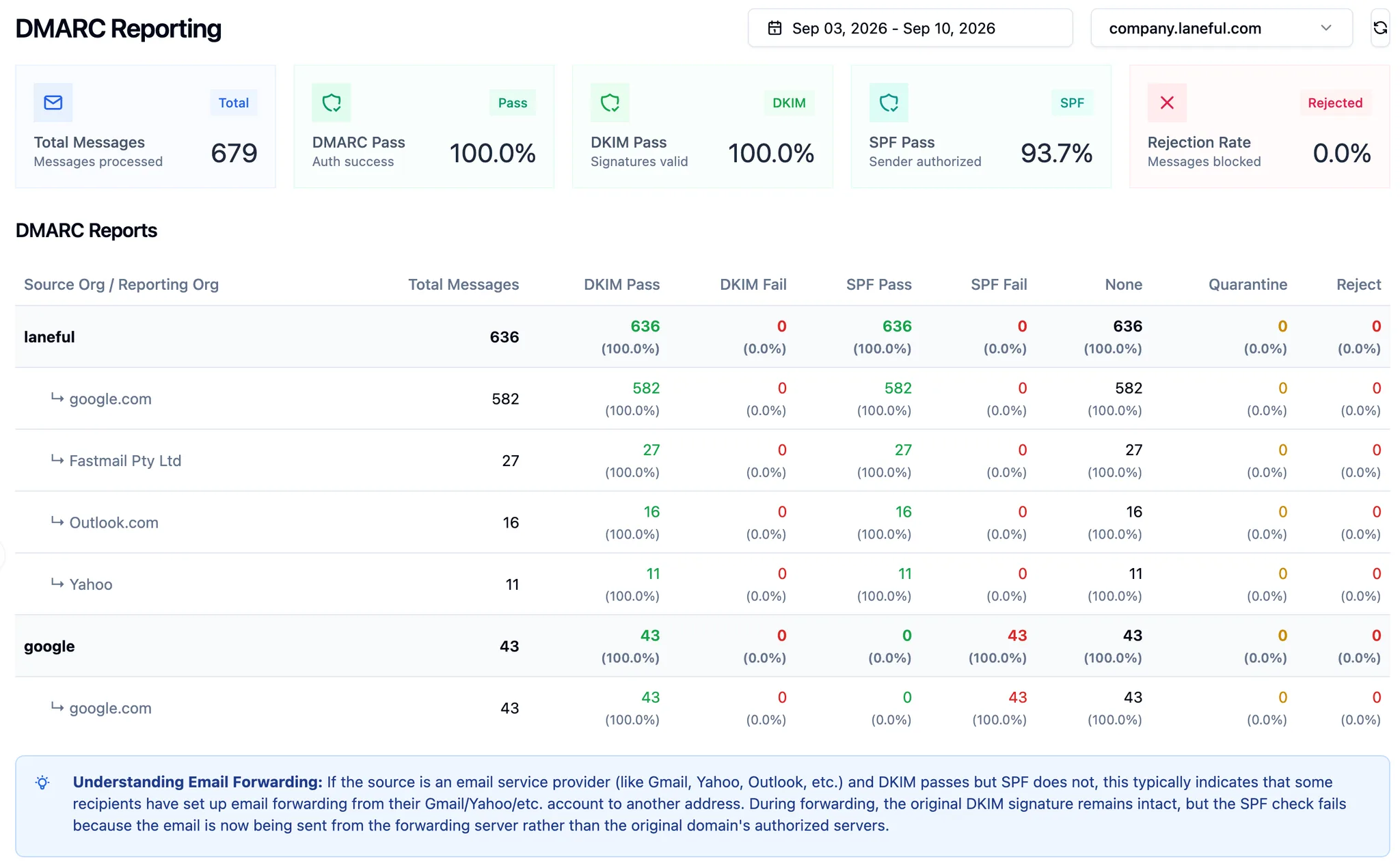
DMARC aggregate reports for every sending domain — who sends as your domain, whether SPF and DKIM pass, what receivers did with the mail — parsed and summarized in the dashboard. Every Laneful organization, nothing to set up.
DMARC aggregate reports for every sending domain — who sends as your domain, whether SPF and DKIM pass, what receivers did with the mail — parsed and summarized in the dashboard. Every Laneful organization, nothing to set up.
Every major mailbox provider keeps a daily tally of the mail it received claiming to be from your domain: which servers sent it, whether SPF and DKIM passed, and whether it was delivered, quarantined or rejected. Unlike Gmail's Postmaster Tools or Microsoft's SNDS, you don't have to go and fetch it. Receivers mail it to you every day.
In Laneful, it's in the dashboard, per domain, next to everything else it knows about your sending.
Why nobody reads them
A DMARC record can name an rua= address, and every receiver that supports the standard sends an aggregate report there. Each one is a zipped XML file attached to an email. Google, Yahoo, Microsoft, Fastmail and dozens of smaller receivers each send their own, so a domain gets a dozen or more a day. Sources are IP addresses, not names. Telling your own mail from your CRM's from a forwarder's from an impersonator's means resolving every address by hand.
So the reports pile up in a mailbox created for the purpose, and get opened after something has gone wrong.
Laneful sets rua= during domain onboarding, so these reports have been arriving for your domains all along. Now they're parsed and grouped.
Why it matters
DMARC is the only view that covers all mail sent as your domain, not just what goes through Laneful. Marketing goes through us, transactional through someone else, staff send from Google Workspace, a support tool sends notifications, and a forgotten script still sends from an old server. Receivers see all of it under one name and judge the domain as a whole. The reports are how you find out what that whole is.
Two things depend on knowing it. Google and Yahoo's bulk-sender rules require a DMARC policy on every sending domain. And impersonation only shows up here: a source you don't recognize, failing both checks, sending to your customers.
p=none is not protection
Most domains that have a DMARC record have p=none. That satisfies the bulk-sender checkbox and does nothing else: receivers report failures and deliver the mail anyway. Anyone can send as your domain and it lands.
p=none is where you start, not where you stay. Use it to find every legitimate source, get each one signing, then move to p=quarantine and on to p=reject. We strongly recommend making that move, and Laneful's DMARC agent watches the reports for you and tells you when it's safe to tighten the policy and what to fix first when it isn't.
Caveats, all the standard's rather than ours: reports are daily and arrive a day behind. They count messages per source IP, so they say that a source failed, not which recipient was affected. And they only come from receivers that send them.
History that keeps accumulating
Receivers send each report once. Laneful stores them as they arrive, so the date picker reaches back as far as your domain has been with us.
Available now
Live for every Laneful organization. rua= was set at onboarding, so there's nothing to enable. Open DMARC Reporting, pick a domain.